
Most Indian companies store employee data across WhatsApp groups, personal email attachments, shared Excel files, and paper folders locked in a cabinet nobody opens. As a result, when an auditor asks for PAN copies or payroll needs an updated bank IFSC, nobody knows where the latest version sits. Employee database management solves this by centralizing every record into one searchable, secure, and audit-ready system. Moreover, the cost of ignoring this problem grows with every new hire you add to your team.
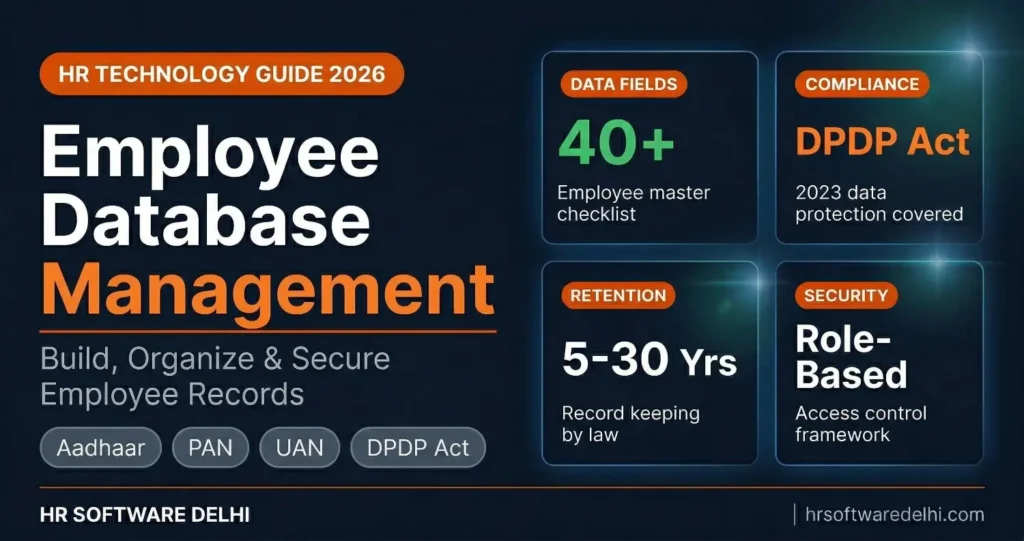
- 40+ data fields: This blog lists every field your employee database should capture, from Aadhaar and UAN to bank IFSC and gratuity nominee.
- 5 data categories: You will see how to organize employee records across personal, employment, payroll, compliance, and document categories.
- Excel vs HRMS: A direct comparison showing when spreadsheets stop working and HRMS becomes necessary for your team size.
- DPDP Act 2023: Learn the 6 compliance actions every Indian employer must take to protect employee data legally.
- Retention periods: Exact timelines for how long to keep salary records, PF data, TDS files, and employee personal files under Indian law.
- 7 common mistakes: The most frequent employee data errors Indian companies make and how to avoid each one.
What Is Employee Database Management?
Employee database management is the practice of collecting, organizing, storing, and maintaining all employee information in a centralized and secure system. It covers everything from personal identification documents to payroll structures, statutory compliance numbers, and exit records.
Every HR function depends on this data. For example, your payroll software needs accurate bank details and tax regime selections. Similarly, the compliance team needs correct PAN, UAN, and ESI IP numbers. In addition, managers need reporting structures and confirmation dates. Without a clean employee database, every process breaks because HR constantly hunts for the right file or the right document version.
What Data Should an Employee Database Include?
A complete employee database captures five categories of information. Missing even one critical field, like a gratuity nominee or an updated bank IFSC, creates problems that surface months later during audits, exits, or statutory filings. Here is what your HR database should cover.
Personal Information
- Full legal name (as on Aadhaar/PAN)
- Date of birth
- Gender
- Blood group
- Marital status
- Father or mother name
- Emergency contact (name, relation, phone number)
- Current residential address
- Permanent address
- Personal email address
- Personal mobile number
- Nationality
- Passport size photograph
Employment Details
- Employee code
- Date of joining
- Designation
- Department
- Reporting manager
- Work location (Delhi, Noida, Gurugram, Faridabad)
- Employment type (permanent, contract, intern, consultant)
- Shift details
- Probation end date
- Confirmation date
- Previous employer name and tenure
Companies with teams spread across Delhi NCR need the work location field to be accurate. Your attendance management system uses this to apply the correct shift rules, and payroll uses it to route compliance deductions to the right state.
Payroll and Compensation
- Annual CTC
- Salary structure (basic salary, HRA, DA, special allowance)
- Bank account number
- Bank name and branch
- IFSC code
- Payment mode (bank transfer or cheque)
- Tax regime chosen (old or new)
- Investment declarations (Section 80C, 80D, HRA exemption proofs)
- Bonus and incentive structure
A single wrong IFSC code means a bounced salary transfer. Likewise, an outdated tax regime selection leads to incorrect TDS all year. Therefore, these fields must be verified during onboarding and updated whenever an employee switches banks or changes their tax declaration. Understanding what payroll involves helps you appreciate why this data accuracy matters so much.
Statutory and Compliance Data
- PAN number
- Aadhaar number
- UAN (Universal Account Number)
- EPF member ID
- ESI IP number (if applicable, for gross salary up to Rs 21,000)
- Professional tax state (Delhi has zero PT, Haryana charges Rs 200, UP varies)
- Gratuity nominee name, relation, and share percentage
- LWF applicability
Missing UAN details during onboarding causes PF transfer delays that frustrate employees for months. On top of that, incomplete nominee details create legal complications when an employee or their family files a gratuity or PF claim. Consequently, these fields are not optional paperwork. Instead, they are compliance requirements under EPF, ESI, and gratuity laws.
Documents
- Aadhaar card copy (front and back)
- PAN card copy
- Passport copy (if available)
- 10th and 12th marksheets
- Degree and diploma certificates
- Previous employer experience letters
- Previous employer relieving letter
- Last 3 months salary slips from previous job
- Cancelled cheque or bank passbook first page
- Passport size photographs (2 copies)
- Signed offer letter
- Signed appointment letter
- NDA or confidentiality agreement
- Background verification report
Collecting these documents digitally during employee onboarding eliminates the paper chase that HR teams dread every joining day.
The table below organizes the most critical fields for quick reference.
| Category | Field Name | Required | Used For |
|---|---|---|---|
| Personal | Full Name | Yes | All records, payslips, letters |
| Personal | Date of Birth | Yes | Gratuity, retirement, insurance |
| Personal | Emergency Contact | Yes | Workplace safety, medical emergencies |
| Personal | Current Address | Yes | Communication, background verification |
| Employment | Employee Code | Yes | Unique identifier across all systems |
| Employment | Date of Joining | Yes | Leave accrual, gratuity, probation |
| Employment | Work Location | Yes | PT, LWF, minimum wage compliance |
| Employment | Reporting Manager | Yes | Leave approvals, appraisals |
| Payroll | Bank Account + IFSC | Yes | Salary transfer |
| Payroll | Tax Regime (Old/New) | Yes | TDS calculation |
| Payroll | CTC and Salary Structure | Yes | Payroll processing |
| Payroll | Investment Declarations | Yes | TDS exemptions, Form 16 |
| Compliance | PAN Number | Yes | TDS filing, Form 24Q, Form 16 |
| Compliance | Aadhaar Number | Yes | EPF KYC, ESI registration |
| Compliance | UAN | Yes | EPF contributions, PF transfer |
| Compliance | ESI IP Number | Conditional | ESI contributions (salary up to Rs 21,000) |
| Compliance | Gratuity Nominee | Yes | Gratuity claims, Form F nomination |
| Documents | Aadhaar Card Copy | Yes | Identity proof, EPF KYC |
| Documents | PAN Card Copy | Yes | TDS compliance |
| Documents | Cancelled Cheque | Yes | Bank account verification |
| Documents | Offer Letter (Signed) | Yes | Employment record, disputes |
| Documents | Relieving Letter | Yes | Background verification |
How to Build an Employee Database from Scratch
Building a structured employee database does not require expensive software on day one. However, it does require a clear process and discipline. Follow these five steps to move from scattered files to a centralized system.
- Audit your current data. List every place where employee information lives today. Check shared Excel sheets, Google Drive folders, email attachments, WhatsApp groups, paper files, and individual laptops. You will likely find duplicates, outdated records, and missing fields across all these locations.
- Create a master field list. Use the five categories above (personal, employment, payroll, compliance, documents) as your framework. Decide which fields are mandatory and which are optional for your company. A 15-person startup needs fewer fields than a 200-person manufacturing company in Faridabad.
- Choose your storage method. For companies with fewer than 15 employees, a well-structured Excel sheet with password protection works as a starting point. For 15 or more employees, invest in an HRMS platform that stores data with role-based access, audit trails, and automatic backups.
- Collect data during onboarding. The best time to capture employee data is joining day. Use a digital joining kit that collects all documents, statutory numbers, bank details, and nominee information in one structured flow. Chasing employees for missing PAN copies three months after joining wastes time for everyone.
- Set access permissions immediately. Not everyone in your company should see PAN numbers, Aadhaar copies, or bank account details. Define who can view, edit, and export sensitive employee records from day one.
Excel vs HRMS for Employee Database Management
Most companies start with Excel because it is free and familiar. However, the real question is when to move beyond it. Below is a direct comparison across seven parameters that matter for Indian businesses managing employee records.
| Parameter | Excel / Spreadsheet | HRMS Software |
|---|---|---|
| Setup Cost | Free | Rs 50 to Rs 150 per employee per month |
| Data Entry | Manual typing for every field | Auto-captured from onboarding forms |
| Search and Filter | Ctrl+F and manual sorting | Instant search with advanced filters |
| Access Control | Anyone with the file can see everything | Role-based permissions per field |
| Document Storage | Separate folder, manually linked | Attached directly to employee profile |
| Compliance Alerts | Manual tracking in calendar | Auto-alerts for document expiry and filing dates |
| Best For | Under 15 employees | 15+ employees, multiple locations |
Excel works until it doesn’t. Once you cross 20 employees, operate from offices in both Noida and Gurugram, or face an audit that demands organized records, spreadsheet limitations become expensive. In fact, a single formula error, one accidentally deleted row, or a shared file with open access to bank details can create problems that cost more than a year of HRMS subscription.
Companies evaluating their options can explore HR software features to understand which modules handle employee data management alongside payroll, attendance, and compliance.
Employee Data Security and DPDP Act 2023
Access Control Best Practices
Not everyone in your organization needs access to every employee record. Define clear boundaries based on role.
- HR team: Full access to all employee records, documents, and compliance data.
- Finance and payroll: Access limited to compensation, bank details, tax declarations, and statutory numbers only.
- Reporting managers: Access limited to their team’s attendance, leave balances, and performance data only.
- Employees (via self service): Access to their own profile, payslips, tax documents, and leave balance only.
- IT administrators: System-level access for maintenance. No visibility into employee personal or financial data.
A well-configured employee self service portal reduces HR workload by letting employees view and update their own records without emailing HR for every small request.
DPDP Act Compliance Checklist for HR
The Digital Personal Data Protection Act, 2023 applies to every Indian employer that processes employee personal data digitally. Here are six actions your HR team must take.
- First, collect only data that is necessary for the employment purpose. Do not ask for information you will never use.
- Second, inform employees clearly about why their data is collected and how it will be used. Issue a data processing notice during onboarding.
- Third, obtain explicit consent before storing Aadhaar, PAN, biometric data, and photographs.
- Additionally, allow employees to view, correct, and request deletion of their personal data at any time.
- Furthermore, appoint a Data Protection Officer or a responsible person to handle data-related queries and complaints.
- Finally, delete former employee data after the legally required retention period ends. Do not keep records indefinitely.
Non-compliance with the DPDP Act can attract penalties up to Rs 250 crore per violation. Importantly, this is not a future risk because the law is already in effect.
Data Retention: How Long to Keep Employee Records in India
Indian labour laws specify minimum retention periods for different types of employee records. As a general rule, destroying records too early creates bigger problems than storing them. Below are the legal minimums every employer should follow.
| Record Type | Minimum Retention | Governing Law |
|---|---|---|
| Salary and wage records | 3 years after last entry | Payment of Wages Act |
| Attendance and leave records | 3 years | Shops and Establishments Act |
| EPF records | 5 years from last transaction | EPF and MP Act 1952 |
| ESI records | 5 years | ESI Act 1948 |
| TDS records and Form 16 | 7 years from end of assessment year | Income Tax Act |
| Gratuity records | 5 years after payment | Payment of Gratuity Act |
| Offer and appointment letters | Duration of employment + 3 years | Contract law, dispute resolution |
| Background verification reports | Duration of employment + 1 year | Internal policy best practice |
| Employee personal files | 8 years after separation | General compliance best practice |
| Accident and injury records | 30 years | Factories Act (where applicable) |
When in doubt, keep records longer rather than shorter. A company that deletes TDS records after 4 years and then faces an income tax scrutiny for assessment year 5 has no defense. The storage cost of digital records is negligible compared to the penalty exposure.
7 Employee Database Mistakes Indian Companies Make
- Storing employee data in WhatsApp groups. Aadhaar copies, PAN cards, and bank details shared on WhatsApp sit on every group member’s phone. This is a DPDP Act violation waiting to happen, and anyone who leaves the group still has those files.
- Not collecting UAN and ESI IP number during onboarding. When an employee wants to transfer their PF from their previous employer, missing UAN details cause delays of 3 to 6 months. Collecting these on day one eliminates the problem entirely.
- Keeping outdated bank details. Employees switch banks, close old accounts, or change branches. If payroll runs with old IFSC codes, the salary bounces and the employee does not get paid on time.
- Missing gratuity and EPF nominee details. Without a valid nominee on file, families face weeks of legal paperwork to claim benefits when an employee passes away. This is both a compliance gap and a human failure.
- No backup of digital employee files. Companies that store records on a single office computer or one shared drive risk total data loss from hardware failure, ransomware, or accidental deletion.
- Sharing one HR login for the entire team. When five people use the same credentials to access employee records, you cannot track who viewed, edited, or exported sensitive data. Role-based access with individual logins is the minimum standard.
- Never cleaning up records of former employees. Companies that keep data of employees who left 8 or 10 years ago without any legal reason are sitting on a DPDP compliance risk and wasting storage on data that serves no business purpose.
Final Word
Employee database management is not an IT project you complete once and forget. Rather, it is the foundation of every HR operation, from monthly payroll runs and quarterly compliance filings to annual appraisals and eventual exit processing. Ultimately, clean, complete, and current employee data makes all of these processes faster, cheaper, and less error-prone.
For growing Delhi NCR businesses managing teams across Delhi, Noida, and Gurugram, the right system turns employee data from a scattered liability into a structured asset. If your HR team still spends hours chasing documents and updating spreadsheets, explore how HR software centralizes employee records, compliance numbers, and payroll data into one searchable platform that stays accurate without manual effort.
Frequently Asked Questions
What is employee database management?
Employee database management is the process of collecting, organizing, and maintaining all employee information in a centralized system. This includes personal details, employment records, payroll data, statutory compliance numbers, and documents. A well-managed employee database ensures accurate payroll, smooth compliance filings, and quick access to any record when needed.
What should be included in an employee database?
A complete employee database should include personal information (name, address, emergency contact), employment details (designation, department, location), payroll data (bank details, CTC, tax regime), compliance numbers (PAN, Aadhaar, UAN, ESI IP), and document copies (Aadhaar card, PAN card, offer letter, relieving letter). Most Indian companies need at least 40 fields to maintain a fully compliant HR database.
Is Excel good for employee database management?
Excel works for companies with fewer than 15 employees and simple payroll structures. Beyond that, it becomes a liability. Excel cannot enforce access controls, automate compliance alerts, or store documents alongside employee profiles. For companies with 15+ employees or multiple office locations, HRMS software is significantly more reliable and secure.
How to maintain employee records as per Indian law?
Indian employers must maintain salary records for 3 years (Payment of Wages Act), EPF and ESI records for 5 years, and TDS records for 7 years from the end of the assessment year. The Code on Wages 2019 also requires employers to issue wage slips every month. Keeping records organized and within the legally mandated retention periods protects your company during audits.
What is the DPDP Act for employee data?
The Digital Personal Data Protection Act, 2023 requires Indian employers to collect only necessary employee data, inform employees about data usage, obtain consent for sensitive information like Aadhaar and biometrics, and delete data after the retention period ends. Penalties for non-compliance can go up to Rs 250 crore per violation.
How long should companies keep employee records?
Retention periods vary by record type. Salary records require 3 years minimum, PF and ESI records need 5 years, and TDS records must be kept for 7 years. Employee personal files should be retained for 8 years after separation as a best practice. When in doubt, keep records longer rather than shorter to avoid audit exposure.
What is the best software for employee database management?
The best employee database software for Indian companies should include centralized employee profiles, document storage, role-based access control, compliance field tracking (PAN, UAN, ESI), automatic onboarding data collection, and integration with payroll and attendance modules. Cloud-based HRMS platforms offer these capabilities with automatic backups and multi-location support for businesses in Delhi NCR.
How to secure employee data in a company?
Secure employee data by implementing role-based access (HR sees all, managers see only their team), using individual logins instead of shared credentials, encrypting sensitive fields, maintaining automatic backups, and following DPDP Act requirements for consent and data deletion. Never store employee documents in WhatsApp groups or unsecured shared folders.
