
Every HR software vendor uses different terminology. One calls their product an HRIS, another sells an HRMS, and a third pitches HCM. For HR managers and business owners evaluating platforms, this creates real confusion. Are these genuinely different products, or just marketing labels for the same thing? The answer matters because HRIS vs HRMS vs HCM represents three distinct levels of capability, and choosing wrong means either paying for features you will never use or missing critical ones you need right now.
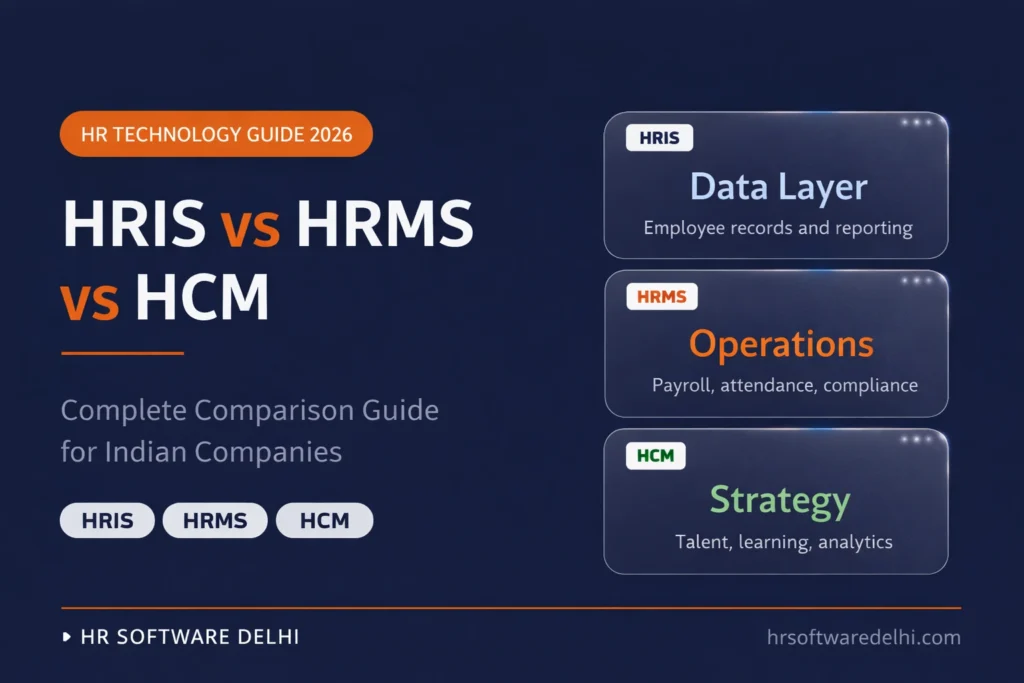
- HRIS vs HRMS vs HCM represents three tiers: data storage (HRIS), operational automation (HRMS), and strategic talent management (HCM).
- HRIS (Human Resource Information System) is a digital employee database for records, org charts, and basic reporting. No payroll.
- HRMS (Human Resource Management System) adds payroll processing, attendance tracking, leave management, and statutory compliance (EPF, ESI, TDS).
- HCM (Human Capital Management) adds talent acquisition, learning, succession planning, and predictive workforce analytics on top of HRMS.
- For most Indian companies with 50-500 employees, HRMS is the right choice. It handles the compliance burden without the cost of enterprise HCM.
What Is HRIS?
HRIS stands for Human Resource Information System. It is the foundational layer of HR technology: a centralized database that stores all employee information in one secure location. Think of it as the digital replacement for physical employee files and Excel spreadsheets.
An HRIS typically covers employee demographic data, job titles, reporting structures, employment history, document storage, organizational charts, and basic reporting. Some platforms include a simple employee self-service portal where staff can update their personal details or view the company directory.
What an HRIS does not do:
- Does not calculate salaries or process payroll
- Does not track attendance automatically
- Does not manage compliance filings (EPF, ESI, TDS)
- Stores data but does not act on it
For a company with 10-30 employees where the founder handles payroll manually, an HRIS provides basic digital organization. Beyond that size, the limitations show quickly.
What Is HRMS?
HRMS stands for Human Resource Management System. The difference between HRIS and HRMS is execution. Where HRIS stores data, HRMS processes it. An HRMS includes everything an HRIS offers plus automated engines for the operational work that consumes most of an HR team’s time.
This is where you get integrated payroll software that calculates gross to net salary automatically, attendance tracking with biometric and GPS integration, leave management with approval workflows, and statutory compliance management. For Indian companies, HRMS handles the compliance burden that makes manual processing risky:
- EPF – 12% employee + 12% employer contribution
- ESI – 0.75% employee + 3.25% employer share
- TDS – under both new and old tax regimes
- Professional tax – state-wise slab calculations
For businesses operating across Delhi NCR with employees in Delhi, Noida, and Gurugram, an HRMS becomes essential because each state has different professional tax slabs, minimum wages, and Shops and Establishments Act rules. The software applies the correct rules per employee location automatically.
What Is HCM?
HCM stands for Human Capital Management. An HCM suite contains every feature of HRIS and HRMS but adds strategic modules designed for long-term workforce optimization. While HRMS focuses on getting people paid correctly and on time, HCM focuses on developing, retaining, and planning around your workforce as a strategic asset.
HCM platforms add advanced modules on top of HRMS:
- Recruitment and applicant tracking (ATS)
- Performance management with 360-degree feedback and OKR tracking
- Learning management systems (LMS)
- Succession planning and compensation modeling
- Predictive workforce analytics
These tools help large enterprises understand attrition risks, identify skill gaps, plan leadership pipelines, and align talent strategy with business goals.
HCM makes sense for companies with 500+ employees where dedicated HR teams exist to configure and extract value from these advanced modules. For mid-sized Indian companies, HCM features often go unused because the team lacks bandwidth to operate them effectively.
HRIS vs HRMS vs HCM – Side-by-Side Comparison
The following table contrasts HRIS vs HRMS vs HCM across core attributes, capabilities, and pricing for Indian companies.
| Attribute | HRIS | HRMS | HCM |
|---|---|---|---|
| Full Form | Human Resource Information System | Human Resource Management System | Human Capital Management |
| Definition | Employee database and digital records | Operational HR automation covering payroll, attendance, and compliance | Strategic workforce management covering talent, learning, and analytics |
| Core Modules | Employee records, org charts, document storage, basic reports | HRIS + payroll, attendance, leave, statutory compliance | HRMS + recruitment, performance, LMS, succession planning |
| Best For | Replacing spreadsheets and organizing employee files | Automating payroll, tracking time, and ensuring compliance | Talent strategy, workforce planning, and enterprise analytics |
| Company Size | 1-50 employees | 50-500 employees | 500+ employees |
| India Compliance | None (data storage only) | Full (EPF, ESI, TDS, PT, Minimum Wages) | Full (multi-state compliance + advanced reporting) |
| Pricing (INR/employee/month) | 30-60 | 80-200 | 250-500+ |
Feature-by-Feature Breakdown
Understanding the HRIS vs HRMS vs HCM distinction becomes clearer when you compare specific HR functions across all three systems.
Employee Database
All three tiers provide a centralized employee database. The difference is how that data gets used. In HRIS, data sits in the system for manual reference. In HRMS, it flows automatically into payroll calculations and attendance reports. In HCM, it additionally feeds into performance reviews, skill assessments, and workforce planning models.
Payroll
This is the sharpest dividing line between HRIS and HRMS. An HRIS has no payroll engine, so you export data manually to Tally or an external accountant. HRMS calculates salaries automatically: gross-to-net computation, EPF/ESI deductions, professional tax by state, TDS under new or old regime, payslip generation, and bank file creation. HCM includes the same payroll engine plus compensation benchmarking and multi-currency support for global teams.
Attendance and Leave
HRIS offers basic leave request forms at most. HRMS provides full attendance management with biometric device integration, GPS mobile punch for field staff, shift scheduling, overtime calculation, and automated leave balance sync with payroll. HCM adds predictive attendance analytics that identify burnout patterns and flight risk indicators.
Recruitment
HRIS does not include recruitment tools. HRMS may offer basic job posting and candidate tracking. HCM provides a complete applicant tracking system (ATS) with resume parsing, interview scheduling, candidate pipeline management, and automated onboarding that converts a candidate record into an employee record seamlessly.
Performance Management
HRIS has no performance module. HRMS may include basic appraisal templates and review scheduling. HCM excels here with KRA/KPI setting, 360-degree feedback, OKR tracking, bell curve normalization, continuous feedback loops, and integration with compensation planning so appraisal ratings directly influence increment calculations.
Learning and Development
Neither HRIS nor HRMS includes training management. HCM platforms include native learning management systems (LMS) with course builders, compliance certification tracking, and personalized career development pathways. This module is primarily relevant for enterprises with 500+ employees investing in structured workforce development.
Analytics and Reporting
HRIS provides basic headcount reports and data exports. HRMS offers operational dashboards showing attendance percentages, payroll cost by department, leave trends. HCM provides predictive analytics, attrition forecasting, diversity metrics, and strategic workforce planning tools that connect people data to business outcomes.
Compliance
HRIS stores compliance documents but does not automate calculations. HRMS actively calculates EPF, ESI, TDS, professional tax, and generates challans, ECR files, and Form 16. HCM includes the same compliance engine plus multi-state labor law management and advanced compliance reporting for companies operating across Delhi, Haryana, and Uttar Pradesh simultaneously.
Summary matrix of feature availability:
| Feature | HRIS | HRMS | HCM |
|---|---|---|---|
| Employee Database | Yes | Yes | Yes |
| Payroll Processing | No | Yes | Yes |
| Attendance and Leave | Limited | Yes | Yes |
| Recruitment (ATS) | No | Limited | Yes |
| Performance Management | No | Limited | Yes |
| Learning and Development | No | No | Yes |
| Analytics and Reporting | Limited | Yes | Advanced |
| India Compliance (EPF/ESI/TDS) | No | Yes | Yes |
Which System Does Your Company Actually Need?
The right choice depends on your headcount, compliance complexity, and budget. Use this framework:
| Company Size | Recommended | Why | Budget (INR/emp/month) |
|---|---|---|---|
| Startups (10-50) | HRIS | Basic employee records. Payroll manageable manually or via CA. | 30-60 |
| SMEs (50-200) | HRMS | Manual payroll becomes error-prone. EPF/ESI/TDS automation essential. | 80-150 |
| Mid-market (200-500) | HRMS or HCM | Strong operational needs plus growing demand for performance and recruitment tools. | 150-300 |
| Enterprise (500+) | HCM | Strategic workforce planning, predictive analytics, and multi-location compliance required. | 300-500+ |
The sweet spot for Indian companies: Once you cross 50 employees, an HRMS pays for itself. The manual calculation of EPF (24% combined contribution), ESI, professional tax across Delhi, Haryana, and UP, plus TDS under two tax regimes. This is where human errors turn into government penalty notices. An HRMS at INR 80-150 per employee per month eliminates that risk entirely. Move to HCM only when you have dedicated HR teams ready to use talent management and analytics modules daily.
How HRIS, HRMS and HCM Evolve as You Grow
Most companies do not start with HCM. The natural progression follows business growth. A 15-person startup begins with HRIS to replace spreadsheets and organize employee files digitally. As the team hits 50-60 people, payroll complexity forces an upgrade to HRMS because you now need automated EPF challans, ESI calculations, and professional tax compliance that differ between your Gurugram and Noida offices.
By the time headcount crosses 300-500, leadership starts asking questions that HRMS cannot answer: Which departments have the highest attrition? Where are our skill gaps for next year’s expansion? Who is ready for a leadership role? That is when HCM becomes relevant, not as a replacement for HRMS, but as an expansion of it. Each tier builds on the previous one rather than replacing it.
Final Word
The HRIS vs HRMS vs HCM distinction is straightforward once you strip away the marketing language. HRIS stores your employee data. HRMS automates your daily HR operations: payroll, attendance, leave, and compliance. HCM adds strategic tools for talent development, workforce planning, and predictive analytics. Each tier includes everything below it.
For growing companies across Delhi NCR dealing with multi-state compliance, biometric attendance, and monthly payroll for 50-500 employees, HRMS is where the real value sits. Book a free demo to see how an HRMS built for Indian compliance handles your exact payroll structure.
Frequently Asked Questions
What is the difference between HRMS and HRIS?
HRIS is an employee database that stores records, org charts, and basic reports. HRMS includes all HRIS features plus automated payroll processing, attendance tracking, leave management, and statutory compliance (EPF, ESI, TDS). The key difference: HRIS stores data, HRMS acts on it. For any Indian company processing payroll for 50+ employees, HRMS is the minimum requirement.
Is HCM better than HRMS?
HCM is more comprehensive, not inherently better. It adds talent acquisition, learning management, succession planning, and predictive analytics on top of HRMS. But these modules require dedicated HR teams to configure and use effectively. For companies under 300-500 employees, HRMS delivers higher ROI because it solves the immediate operational pain points like payroll accuracy and compliance automation.
Can a small business use HCM software?
Technically yes, but it is rarely cost-effective. HCM platforms cost INR 250-500+ per employee per month and include advanced modules like workforce planning and succession pipelines that small teams cannot fully utilize. A 30-person company is better served by an HRMS at INR 80-150 per employee per month, which covers payroll, attendance, leave, and and compliance, which are the features that actually matter at that stage.
What does HRIS stand for?
HRIS stands for Human Resource Information System. It is the foundational tier of HR software, a centralized digital platform for storing and managing employee records, personal data, organizational structures, and basic workforce reports. It serves as the data layer upon which HRMS and HCM build their operational and strategic capabilities.
Which is best for Indian companies – HRMS or HCM?
For the majority of Indian companies with 50-500 employees, HRMS is the practical choice. It directly addresses the heavy compliance burden – automating EPF, ESI, TDS, and professional tax calculations that differ across states like Delhi, Haryana, and Uttar Pradesh. Unless your company has 500+ employees with dedicated talent management teams, HRMS provides the exact tools needed without paying for unused strategic modules. See our best HR software in Delhi NCR comparison for specific platform options.
