
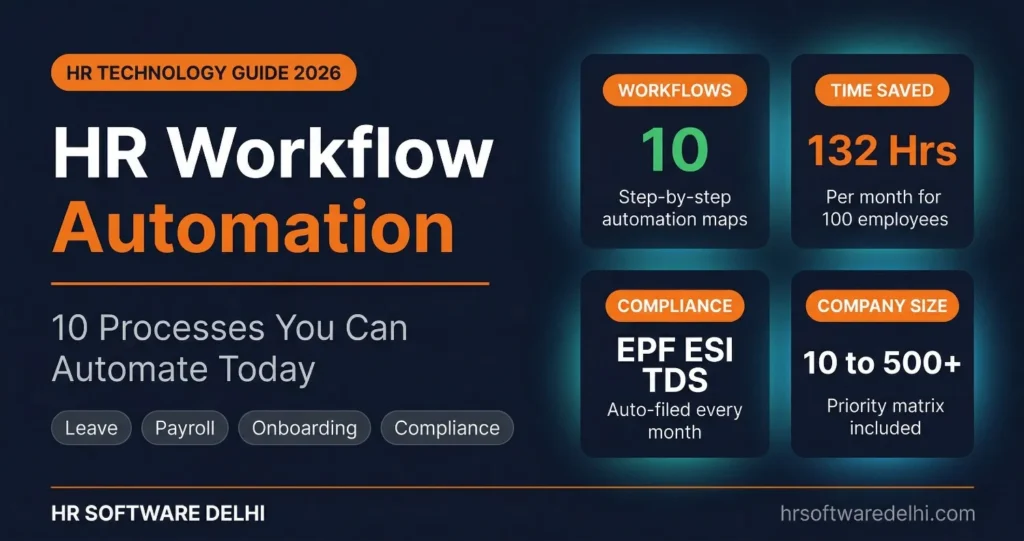
Most Indian HR teams spend over 60 percent of their time on repetitive approvals, manual data entry, and chasing managers for signatures. HR workflow automation solves this by replacing these manual steps with trigger-based sequences that route requests, update records, and maintain compliance without human intervention. A leave request that should take 30 seconds often takes 3 days when it travels through WhatsApp, email, and verbal follow-ups. Every manual step adds delay, increases error risk, and creates compliance gaps that multiply as teams grow across Delhi NCR.
- Core concept: HR workflow automation replaces manual approvals and data entry with trigger-based sequences that route, notify, and update records automatically.
- Priority workflows: Leave approvals, attendance corrections, payroll processing, onboarding, and letter generation deliver the fastest return for most Indian companies.
- Time savings: A 100-employee company can recover more than 130 HR hours every month by automating the 10 workflows covered in this post.
- Compliance control: Automated workflows help teams manage payroll inputs, approval records, and statutory filing deadlines more consistently across multiple states.
- Scale by size: Small companies should automate essentials first, while larger teams should cover end-to-end processes including performance reviews and offboarding.
- Implementation discipline: Successful automation requires correct approval hierarchies, mobile access for managers, and parallel validation before going fully live.
What Is HR Workflow Automation?
HR workflow automation is the use of software to replace manual, repetitive HR tasks with trigger-based automated sequences. For example, when an employee submits a leave request, the system automatically routes it to the right manager, sends notifications, updates the leave balance, and reflects the change in payroll. As a result, HR does not need to copy data between systems or follow up with anyone.
This matters especially for Indian companies because manual processes break quickly when teams operate across Delhi, Noida, Gurugram, Haryana, and UP. Each state has different compliance rules, and modern HR software with built-in workflow automation helps manage state-specific deductions, approval hierarchies, and monthly statutory deadlines with far better consistency than spreadsheets and email chains.
10 HR Workflows You Should Automate
1. Leave Request and Approval
Trigger: Employee submits a leave request.
Manual process: The employee messages the manager on WhatsApp, the manager forgets, HR follows up days later, and the leave balance is checked manually in a spreadsheet.
Automated process: The request routes to the reporting manager automatically. Subsequently, the manager approves it on mobile, the leave management system updates the balance instantly, and payroll receives the approved data without any HR intervention.
Time saved: 15 hours per month for a 100-employee company.
2. Attendance Regularization
Trigger: Employee misses a punch or works from a different location.
Manual process: The employee emails HR, HR checks with the manager verbally, and then someone manually updates the attendance register.
Automated process: The employee raises a regularization request from the phone, the manager approves it directly, and the attendance management system updates the record and syncs it with payroll. Consequently, this removes the back-and-forth that typically delays corrections by several days.
Time saved: 10 hours per month.
3. Employee Onboarding
Trigger: Offer letter accepted by candidate.
Manual process: HR sends documents by email, collects Aadhaar and PAN copies on WhatsApp, enters data into Excel row by row, and assigns assets through scattered conversations.
Automated process: A digital joining kit is sent automatically once the offer is accepted. The new hire uploads documents in one place, data flows into the employee master, and IT and admin teams receive task notifications. As a result, automated onboarding creates a better joining experience because nothing depends on memory or manual follow-up.
Time saved: 8 hours per new hire batch of 5 joiners.
4. Payroll Processing
Trigger: Month-end payroll cycle begins.
Manual process: HR collects attendance from one system, calculates LOP manually, applies deductions in Excel, cross-checks EPF and TDS figures, and prepares the bank file after multiple rounds of verification.
Automated process: The payroll software pulls attendance data, applies approved leave, calculates gross and net salary, deducts EPF at 12 percent, computes ESI where applicable, applies TDS per the employee’s tax profile, and generates payslips along with the bank transfer file in one click. This becomes especially important for companies managing employees across Delhi, Haryana, and UP where payroll processing rules differ by state.
Time saved: 20 hours per month.
5. Expense Claim and Reimbursement
Trigger: Employee submits an expense with a receipt.
Manual process: The employee fills a paper form, attaches the receipt, gets the manager’s physical signature, and finance processes the reimbursement in the next cycle.
Automated process: The employee uploads the receipt from mobile, policy limits are checked automatically, and the manager approves it in the app. The approved amount then moves directly into the next payroll cycle. This is particularly useful when field teams travel frequently across Noida, Gurugram, and Delhi for client visits.
Time saved: 8 hours per month.
6. Employee Offboarding and F&F Settlement
Trigger: Employee resignation is accepted.
Manual process: HR creates a checklist in Word, follows up with 5 departments individually for clearance, calculates the full and final settlement in Excel, and delays the experience letter because one approval is still pending.
Automated process: The offboarding workflow triggers tasks to IT, admin, finance, and the reporting manager simultaneously. The system then calculates settlement components including leave encashment, recovery amounts, and gratuity eligibility where applicable. Finally, it auto-generates the experience letter once all clearances are complete.
Time saved: 12 hours per exit batch.
7. Compliance Filing (EPF, ESI, TDS)
Trigger: Monthly filing deadline approaches.
Manual process: HR exports payroll data, formats the ECR file manually, logs into the EPFO portal, uploads documents one by one, and repeats the same steps for ESI and TDS every single month.
Automated process: The system prepares ECR output, ESI challan data, and TDS computation files automatically. It also alerts HR before each deadline so nothing is missed. While final review is still important, compliance automation eliminates formatting errors and ensures filing-ready documents are generated without manual rework.
Time saved: 15 hours per month.
8. Employee Data Update Requests
Trigger: Employee changes bank account, address, or tax regime.
Manual process: The employee emails HR with the new details, HR updates one spreadsheet but forgets another system, and the salary ends up going to the old bank account.
Automated process: The employee updates details through the self-service portal, the change request routes to HR for approval, and all connected records update in one controlled action. Therefore, even a small change like a bank IFSC update does not cause salary credit failures.
Time saved: 6 hours per month.
9. Performance Review Cycle
Trigger: Quarterly or annual review period starts.
Manual process: HR sends Excel templates to managers, waits weeks for responses, consolidates scores manually, and then prepares summaries for leadership review.
Automated process: Review forms are pushed to all managers on schedule, employees complete self-assessments, 360-degree feedback is collected where needed, and scores are consolidated automatically. When configured properly, the performance management system prevents review cycles from dragging beyond the planned timeline.
Time saved: 25 hours per review cycle.
10. Letter Generation (Offer, Appointment, Increment)
Trigger: HR needs to issue an employment letter.
Manual process: HR opens a Word template, fills employee details one field at a time, checks the CTC breakup separately, converts the file to PDF, and emails it manually.
Automated process: HR selects the employee and the letter type, the system auto-fills all fields from the employee master, generates the PDF, sends it by email, and stores it in the employee record. This is one of the simplest automated HR processes because the rules are entirely template-driven and repetitive.
Time saved: 5 hours per month.
The following table shows how hr workflow automation changes monthly effort for a typical 100-employee company.
| Workflow | Manual Time (hrs/month) | Automated Time (hrs/month) | Time Saved (hrs/month) |
|---|---|---|---|
| Leave Request and Approval | 18 | 3 | 15 |
| Attendance Regularization | 12 | 2 | 10 |
| Employee Onboarding | 20 | 4 | 16 |
| Payroll Processing | 24 | 4 | 20 |
| Expense Claim and Reimbursement | 10 | 2 | 8 |
| Offboarding and F&F Settlement | 15 | 3 | 12 |
| Compliance Filing (EPF, ESI, TDS) | 18 | 3 | 15 |
| Employee Data Updates | 8 | 2 | 6 |
| Performance Review Cycle | 30 | 5 | 25 |
| Letter Generation | 7 | 2 | 5 |
| Total | 162 | 30 | 132 |
HR Workflow Automation by Company Size
Not every company needs to automate all 10 workflows on day one. The right starting point depends on your team size, process maturity, and the volume of repetitive tasks your HR team handles each month. Smaller companies should focus on the essentials first, while larger organizations benefit from automating the full spectrum.
| Workflow | 10 to 50 Employees | 50 to 200 Employees | 200 to 500 Employees |
|---|---|---|---|
| Leave Request and Approval | Automate Now | Automate Now | Automate Now |
| Attendance Regularization | Automate Now | Automate Now | Automate Now |
| Payroll Processing | Automate Now | Automate Now | Automate Now |
| Letter Generation | Automate Now | Automate Now | Automate Now |
| Employee Onboarding | Automate Next | Automate Now | Automate Now |
| Expense Claims | Can Wait | Automate Now | Automate Now |
| Compliance Filing | Automate Next | Automate Now | Automate Now |
| Employee Data Updates | Automate Next | Automate Now | Automate Now |
| Offboarding and F&F | Can Wait | Automate Next | Automate Now |
| Performance Reviews | Can Wait | Automate Next | Automate Now |
How to Implement HR Workflow Automation
- Map your current HR processes end to end before automating anything. Document who starts each request, who approves it, what data is needed, and where delays happen. Many companies discover that the real problem is not workload alone, but poor handoffs between HR, managers, finance, and admin teams.
- Identify the 3 workflows that consume the most HR hours per month. For most companies, that means leave approvals, attendance corrections, and payroll inputs. Starting with these helps you show value quickly and build confidence before expanding automation to other areas.
- Configure approval hierarchies matching your actual reporting structure. The system should reflect how approvals work in reality, not how they look on an org chart. This is especially important for companies with offices across Delhi NCR where regional managers, department heads, and finance teams may all play different roles in approvals.
- Run parallel systems for the first payroll cycle to validate accuracy. Compare attendance data, leave impact, deductions, and payout files from both the manual and automated processes before switching fully. Parallel validation is the safest way to confirm that HR automation is working correctly before it affects salary processing.
- Train managers on mobile approvals because the bottleneck is usually the approver. Even the best workflow fails if requests stay pending with managers for days. Clear training, push notifications, and auto-escalation rules make adoption much stronger from the beginning.
Common Mistakes When Automating HR Workflows
- Automating a broken process instead of fixing it first: If the approval logic is unclear or duplicate steps already exist, software will only make the confusion faster. Therefore, always clean up the process before you automate it.
- Setting up approval chains that are too deep: A leave approval workflow should not pass through five people unless there is a genuine business reason for each step.
- Not configuring location-based rules for multi-state compliance: Companies operating across Delhi, Haryana, and UP need correct payroll and approval rules by entity and location. Otherwise, employees end up with wrong deductions.
- Skipping the parallel run and going live without validating payroll output: One wrong deduction or bank file error can reduce trust in the entire system and make adoption harder.
- Ignoring mobile access for managers who approve on the go: Delayed approvals usually happen because managers are away from laptops, not because employees submit requests late.
- Not setting auto-escalation rules: Without escalation, pending requests can sit untouched for days. As a result, the automation loses its value and employees go back to WhatsApp follow-ups.
Final Word
HR workflow automation is not about replacing HR teams. Instead, it is about removing the repetitive tasks that prevent HR from focusing on hiring quality, employee experience, compliance control, and better decision making. The 10 workflows covered in this post represent over 130 hours of monthly manual work that can be recovered with proper automation.
For growing Delhi NCR businesses managing teams across multiple offices and states, the right approach is choosing a system that handles Indian HR software features and compliance workflows natively. Book a free demo to see how workflow automation works for your team size and industry.
Frequently Asked Questions
What is HR workflow automation?
HR workflow automation means using software to move HR tasks through predefined rules instead of manual follow-ups. A trigger starts the process, the system sends it to the right approver, updates records automatically, and keeps an audit trail. It is commonly used for leave approvals, attendance corrections, payroll inputs, onboarding, letters, and expense claims.
Which HR processes should be automated first?
Start with the processes that happen most often and waste the most time. For most Indian companies, that means leave approvals, attendance regularization, payroll inputs, and letter generation. After these are stable, move to onboarding, expense claims, and compliance-related workflows.
Can HR workflow automation handle Indian compliance?
Yes, provided the system is configured for Indian rules and your company structure. It should support EPF, ESI, TDS inputs, state-wise deduction logic, approval records, and filing readiness. However, final compliance review still matters because automation reduces manual errors but does not eliminate the need for verification.
How much time does HR automation save per month?
A 100-employee company can typically save more than 130 hours per month when key workflows are properly automated. The biggest gains come from payroll processing, leave approvals, attendance corrections, onboarding, and performance review administration. Actual savings depend on company size, process volume, and how much manual follow-up exists today.
Is HR workflow automation suitable for small businesses?
Yes, small businesses benefit significantly because even one HR person can lose many hours to approvals and repetitive data entry each week. They do not need to automate everything on day one. A practical start is leave, attendance, payroll, and letter generation, which together save the most time relative to effort.
What is the difference between HR automation and HRMS?
HR automation refers specifically to the rules and trigger-based actions that reduce manual work in specific processes. HRMS, on the other hand, is the larger platform that stores employee data and may include payroll, attendance, documents, and other modules. In practice, HR process automation usually works as a feature inside an HRMS platform.
How does workflow automation work for multi-location companies?
It uses entity-wise rules, reporting structures, and approval flows based on your actual organization setup. This is particularly useful when one company operates across Delhi NCR with employees in Delhi, Gurugram, and Noida under different managers or payroll entities. The system routes each request according to the correct location-specific logic instead of relying on HR memory.
What are the risks of automating HR workflows?
The biggest risk is automating the wrong process or configuring it poorly. Deep approval chains, missing mobile access, bad master data, and no parallel validation can create frustration instead of efficiency. Good implementation with proper testing reduces those risks and makes workflow automation reliable over time.
